A lot of sole proprietors set up their email the way they set up their website: at the same place, in the same afternoon. Maybe it is a free Gmail or Hotmail address. Maybe it is a mailbox that came with your web hosting. Or maybe you bought Microsoft 365 or Google Workspace through your domain registrar or host, because it was one click at checkout.
All of those work on day one. This post is about what changes when the business grows, and why I think buying directly from Microsoft or Google is worth the small extra effort up front.
The three setups I see most
- Free email (Gmail, Hotmail, Outlook.com). The account belongs to you as a person, not to the business.
- Host or registrar mailboxes. Basic email that comes with your domain or hosting plan.
- A resold subscription. Real Microsoft 365 or Google Workspace, but bought and billed through a reseller such as your registrar or host.
The third one is the trickiest, because it looks identical to the real thing. Same apps, same logos. The difference is who sits between you and the vendor.
What you give up with free or bundled email
A free account has no admin. There is nobody to reset a password for a helper, nothing central to require a second sign-in step, and no clean way to shut off access when a contractor moves on. The Canadian Centre for Cyber Security's baseline controls for small and medium organizations ask for two-factor authentication wherever possible, and for accounts to be removed when people no longer need them. Both are much easier when you run the accounts yourself.
A business address on your own domain also does something a free address cannot. Microsoft lists custom business email ([email protected]) as part of Microsoft 365 Business Basic, alongside Teams, cloud storage and the admin centre.
What a reseller changes
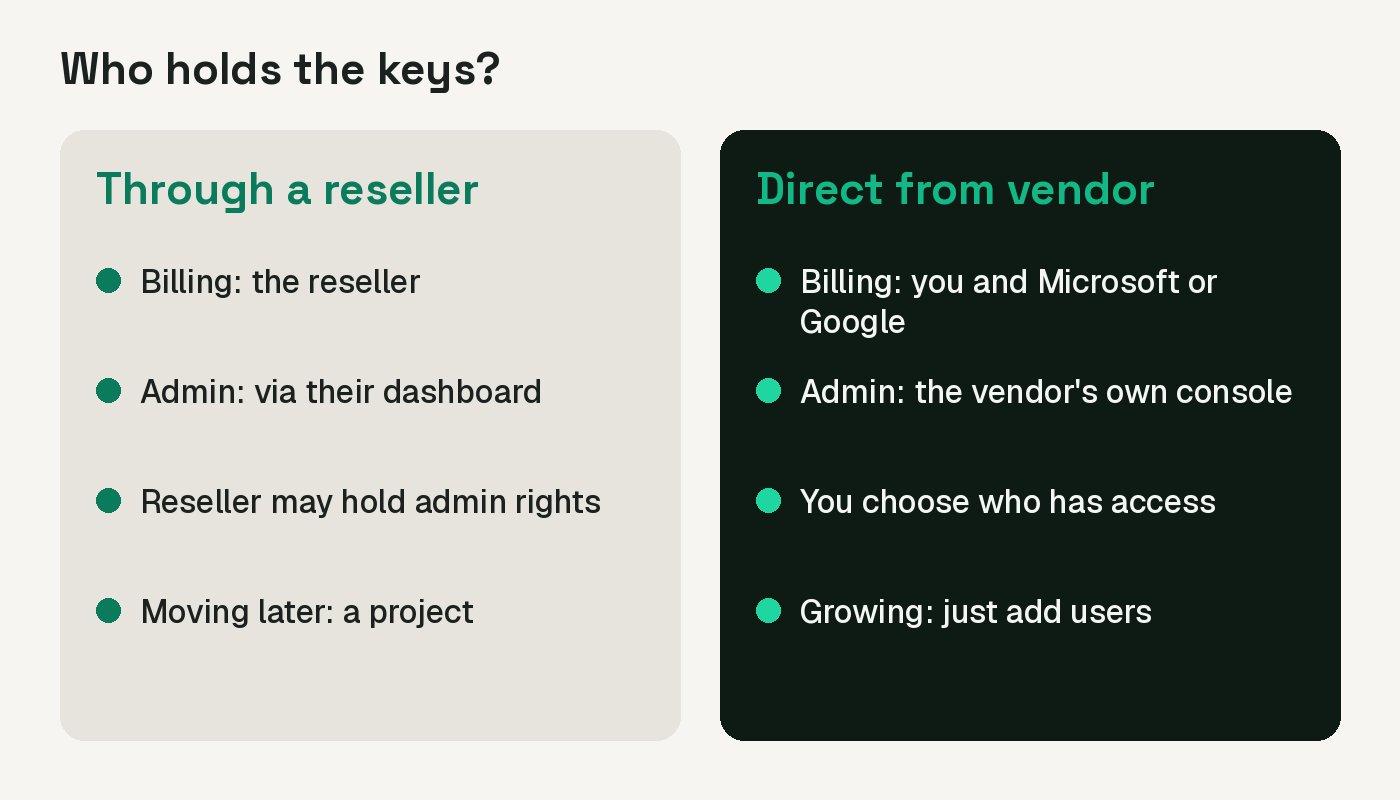
To be fair to resellers: they are convenient. One invoice, one login for the domain and the email, and the price is often lower or bundled. I have not compared current prices for this post, so check the numbers for your own case. Here is what I could confirm about the trade.
Microsoft 365 through GoDaddy. GoDaddy's own help says accounts with admin permission in its Email & Office Dashboard get the Global admin role in the Microsoft platforms. Even so, you get to the deeper Microsoft settings through GoDaddy's dashboard. Its Advanced Admin Centers page says Exchange is available on all Microsoft 365 email plans, while the Teams and SharePoint admin centres need specific plans (Online Business Essentials, Business Professional and Premium Security). Plenty of people on Microsoft's own Q&A forum report that trying to open the Microsoft 365 admin centre just sends them back to the GoDaddy dashboard. In one thread, a Microsoft support specialist's answer was that the route to full control is to move management away from GoDaddy, a process called defederation.
Partner access. Resellers can also hold admin rights inside your Microsoft 365 organization. Microsoft's page on reviewing partner admin privileges says the older delegated access gives a partner the Global Administrator role, and that Microsoft recommends reviewing it quarterly. It also says that removing the role does not stop the partner from making purchases on your behalf. Newer arrangements are narrower: Microsoft's granular delegated admin privileges are described as least-privileged and time-bound. The point is not that your reseller is up to something. It is that another company has a key, and you should know which key.
Google Workspace through a reseller. Google's reseller access page says a reseller can manage licences, billing for what you bought through them, users, groups, devices, and can open support cases for you. It also says you can turn that access on or off in your Admin console at any time. That is a fair setup, as long as you know it exists.
Why direct is the better fit as you grow
- You own the admin. With Microsoft 365 bought directly, you sign in to the Microsoft 365 admin center yourself and decide who gets which role. Microsoft's admin role guidance says to keep global administrators to as few as possible, use the least permissive role for each job, and require MFA for admins.
- Billing and licences sit with you. Adding a helper, a part-time bookkeeper or your first employee is a change you make, not a request to someone else.
- You are not limited by a reseller's dashboard. The Q&A thread above is about someone who could not turn on document protection features they wanted. Working in the vendor's own admin centre avoids that kind of dead end.
- You skip the move later. Leaving a reseller means a defederation on the Microsoft side, and moving mail, files and settings. Microsoft's defederation page warns against unofficial steps because they can affect your ability to sign in. On the Google side, Google's transfer page says a transfer between Google and a reseller is not reversible, and if you switch mid-month you can get two bills. It also says service and data are not affected by the transfer itself. Either way, it is a chore you can avoid.
The timing matters. Moving three mailboxes is an afternoon. Moving fifteen, with shared files and a few connected apps, is a project that lands in the middle of your busiest season.
What to do this week
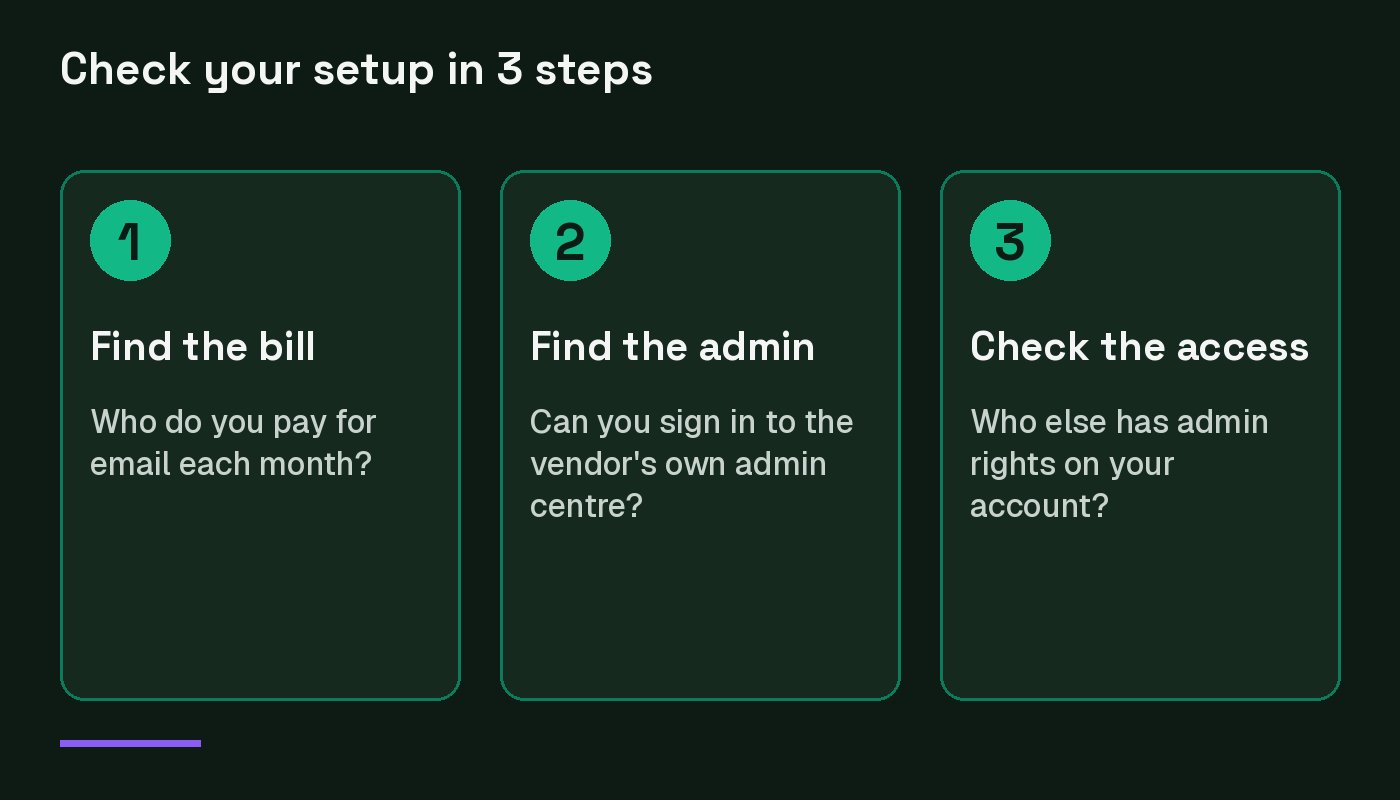
- Find the bill. Look at where your email is invoiced. Your domain registrar, your host, Microsoft or Google?
- Try the vendor's own admin console. For Microsoft 365, try the Microsoft 365 admin center. For Google, the Admin console. If you get bounced to a reseller dashboard, you are on a resold plan.
- Check who else has admin. In Microsoft 365, go to Settings, then Partner relationships, and look for a partner with Global Administrator in the Roles column. In Google, review reseller access in the Admin console.
- Decide before you grow. Starting fresh? Buy direct. Already on a resold plan? Plan the move while you have few mailboxes, and follow the vendor's own steps.
- Turn on MFA for every account, starting with the admin. It is the best single fix on the list.
Free email and bundled mailboxes are not a crime, and a reseller is not a villain. But the setup you pick on day one becomes the setup you have to move later. Spend a bit of time now, and your email stays boring, which is exactly what you want.