In mid October 2026, one stolen login credential at a single vendor gave attackers a way into Microsoft 365 accounts at more than 170 different companies. None of those companies were hacked directly. They were all connected, through their IT provider, to the same backup tool, and that one connection was enough. If you have never heard of the vendor involved, ConnectWise, that is exactly the point of this article: you do not need to use a product to be affected by how it is set up, and the lesson here applies to any small business that relies on an outside IT provider.
What happened
ConnectWise runs a product called Cloud Backup (previously known as SkyKick), which IT providers and managed service providers (MSPs) use to back up their clients' Microsoft 365 data. To do its job, Cloud Backup needs permission to read mailboxes, OneDrive, SharePoint, and Teams data across every client account it is connected to. That permission is granted through something called an OAuth app connection, essentially a standing digital handshake between ConnectWise's software and a customer's Microsoft 365 tenant.
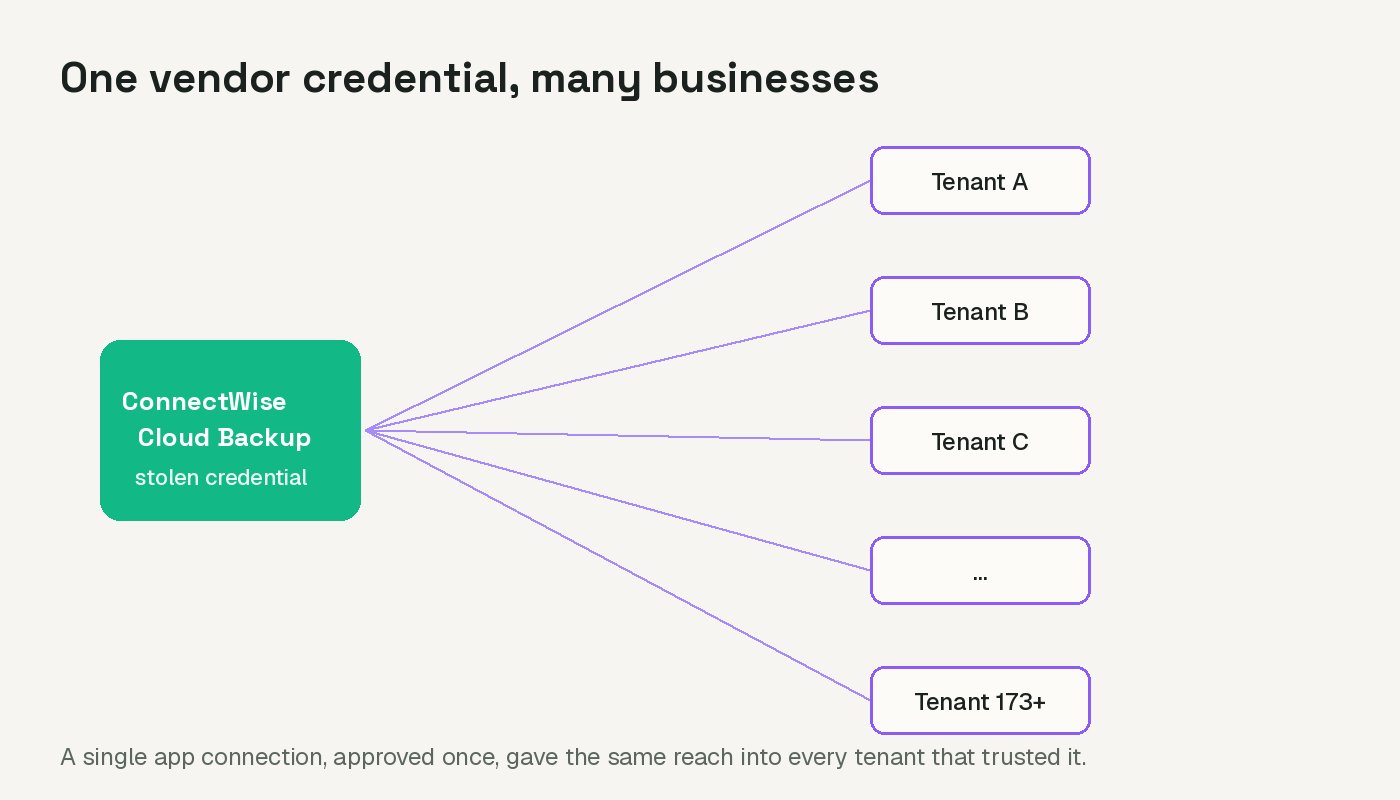
According to reporting from The Hacker News and the security firm Huntress, attackers obtained a credential tied to that ConnectWise app and used it to sign in directly as the app itself, inheriting all the access it already had. Because the same credential worked across every tenant where the app had been approved, one compromised vendor login reached a wide net of unrelated businesses at once. Huntress confirmed unauthorized access in at least 173 Microsoft 365 tenants, and in one case found that a related ConnectWise app had granted itself Global Administrator rights and quietly added login credentials to other trusted applications, including Huntress's own monitoring app, set to remain valid until 2028.
Timeline, in plain terms
Huntress traced suspicious sign-in activity back to October 13 and 14, coming from a single IP address, which first attempted password sprays against a handful of law firm tenants without success. On October 15, between roughly 6:13 and 8:34 UTC, the same address began pulling access tokens across customer tenants in a pattern that moved through account identifiers in order, seconds apart, suggesting an automated, scripted process rather than someone manually working through a list.
ConnectWise says it discovered the issue on October 15 and, by October 17, had disabled seven affected application identities, revoked their certificates, and reset the shared Cloud Backup credentials. It brought in an outside forensics firm and suspended Cloud Backup, along with two related services, SaaS Security and Cloud Management, while the investigation continued. As of its most recent public update, ConnectWise has not set a date for restoring the services and has said that resetting its own credentials does not undo anything an attacker may have already changed inside a customer's Microsoft 365 account.
Why this kind of access is easy to miss
One detail in this incident explains why it took a security firm, rather than the affected companies themselves, to notice the problem. When an application signs in using its own credential, Microsoft 365 logs that activity as a "service principal sign in," which is a separate category from the normal user sign in log that most business owners, and even a lot of IT providers, check first. A login attempt from an unfamiliar country on an employee's account tends to get noticed quickly. A login from an application that is already supposed to have access, using the access it is already supposed to have, does not look unusual unless someone is specifically watching for it.
That is also how a backdoored app was able to grant itself Global Administrator rights in at least one tenant without immediately being caught. Global Administrator is the highest level of control in a Microsoft 365 account. It can read or change almost anything, including other users' permissions. Once an attacker has that level of access through an application, they can plant new credentials in other trusted apps as a way back in later, even after the original compromised app is disabled. That is exactly what Huntress reported finding.
Why this matters even if you have never used ConnectWise
Most small business owners in Canada do not choose their IT provider's backup software directly. You hire a provider, and they pick the tools that run behind the scenes. That is normal, and it is not a reason to distrust every IT provider. But it does mean the chain of trust runs through a vendor you have likely never evaluated yourself, and that vendor's security becomes part of your own.
The broader lesson is about OAuth app connections generally, not just this one vendor. Microsoft 365 and Google Workspace both let outside applications connect with standing permission, sometimes very broad permission, and once that connection is approved it usually keeps working quietly in the background for years, without anyone checking on it again. This incident is a reminder that those connections are not "set and forget." They are an ongoing piece of your security that deserves an occasional look.
There is also a concentration angle worth understanding. Most small businesses in BC and across Canada do not have a full time IT department, so they lean on an MSP to cover that gap, and a single MSP often serves dozens or hundreds of small clients through the same set of backend tools. That arrangement is efficient and usually works well, but it means the security of one vendor the MSP chose can ripple out to every client at once. This is not a reason to avoid using an MSP. It is a reason to ask, every so often, what third party tools your provider connects to your account and how those connections are kept in check.
What to do if your IT provider or MSP uses ConnectWise
- Ask your provider directly whether your Microsoft 365 account was connected to ConnectWise Cloud Backup, SaaS Security, or Cloud Management.
- Ask whether they have reviewed your account's sign in logs for activity from the IP address Huntress identified, 144.172.64.128, and for any admin role or app permission changes made since October 13, 2026.
- Ask them not to reconnect any ConnectWise app to your tenant until ConnectWise issues formal restoration guidance. Disabling an affected app, rather than deleting it, preserves evidence if a deeper look is needed later.
- If your provider cannot answer these questions clearly, treat that as useful information on its own.
What to check in your own Microsoft 365, regardless of whether ConnectWise is involved
This is worth doing even if your provider confirms you were never connected. It takes about fifteen minutes and it is good practice generally.
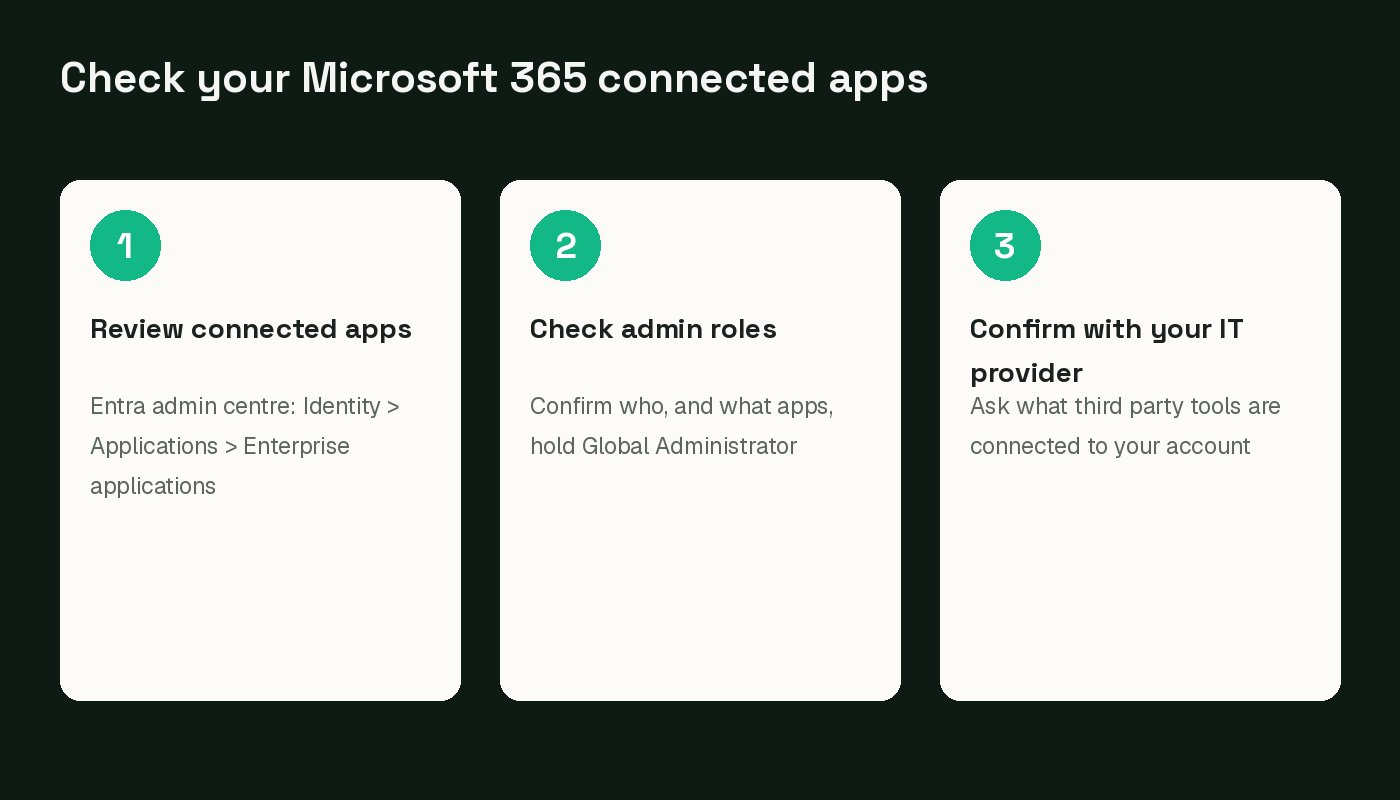
- Sign in to the Microsoft Entra admin centre (entra.microsoft.com) as a global administrator.
- Go to Identity, then Applications, then Enterprise applications, and review the list of apps with access to your tenant. Anything you do not recognize, or no longer use, is worth asking your IT provider about.
- Check which of those apps hold high level permissions, such as reading mail, files, or directory data for the whole organization, and confirm each one is still needed.
- Review your list of Global Administrators under Roles and administrators, and remove anyone, or any application, that should not hold that level of access.
- If anything looks unfamiliar or you are not confident reading these screens yourself, this is a reasonable thing to hand to your IT provider or a security professional rather than guess at.
A setting worth knowing about
Microsoft's own documentation points to one setting that is worth understanding, separate from this specific incident. By default, many Microsoft 365 tenants allow individual employees to approve new app connections themselves, as long as the app only asks for everyday permissions. An employee clicking "accept" on a sign in prompt from a new app is often all it takes for that app to get standing access, with no administrator ever reviewing it.
Microsoft Entra lets an administrator change that. You can require every new app connection to go through an administrator for approval, with an optional workflow where an employee requests access and a designated reviewer approves or denies it. This will not undo a vendor side incident like the ConnectWise one, since that app had already been reviewed and approved. But it does close a different, more common gap: random apps picking up broad access over time with nobody keeping track. If you manage your own Microsoft 365 tenant, the setting lives in the Entra admin centre under Identity, Applications, Enterprise applications, Consent and permissions, User consent settings. If someone else manages it for you, simply ask your provider to confirm that user consent to new apps is restricted and that an admin reviews new app requests.
The wider takeaway
Nothing in this incident suggests Canadian small businesses were specifically targeted, and Huntress has reported no confirmed evidence of mailbox or file content being read or changed in the tenants it examined closely. The exposure here was about standing access, not necessarily about data taken. That is still worth taking seriously. A single vendor credential reaching into more than 170 separate organizations is a useful reminder of how connected these systems really are behind the scenes, and a once a year review of what applications have access to your Microsoft 365 account is a small habit that pays off.